
If your website firewall (for example, Cloudflare) blocks or slows down the Verified CONSENT crawler, you can whitelist its user-agent. This ensures our audit can run smoothly without being throttled or blocked.
Two-step summary of what you need to do:
1. Create a Firewall Rule
Ask your development team to whitelist our Verified Data crawler in your firewall.
2. Set the Correct User-Agent in Your Project
- If you’re creating a new audit project:
When setting up a new project, choose “Verified Data” as the user-agent. - If the project already exists:
If you didn’t set the whitelist initially, you can update the user-agent settings. Note: this change is permanent for that project. Once you update it, our crawler will always use that user-agent.
1. Creating the Firewall Rule
For example, with Cloudflare, ask your web development team to create a rule for allowing the access for our user-agent “verified-data.com” as follows:
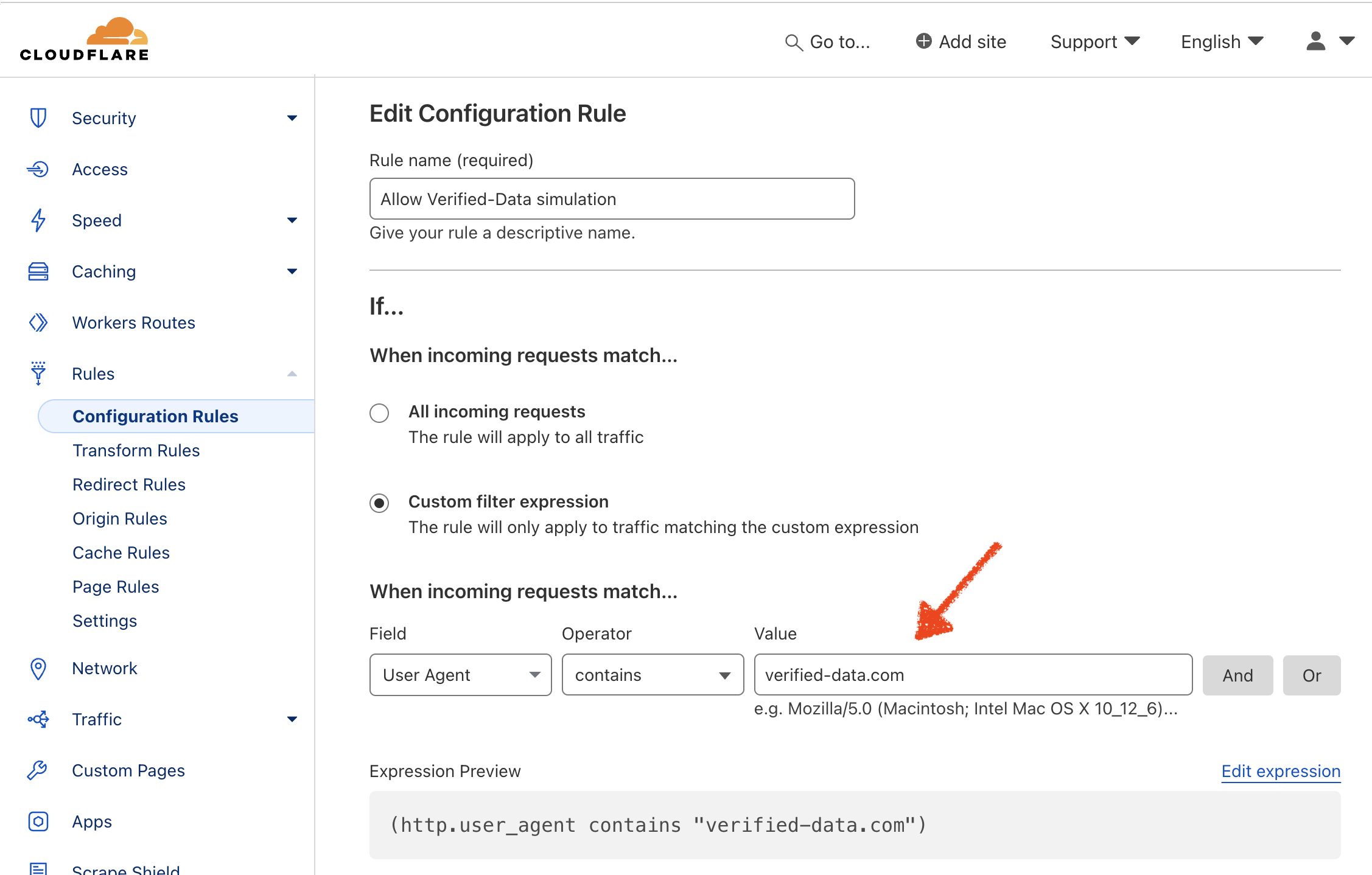
Cloudflare whitelist rule
2A. If Creating a New Audit Project
When creating a new Verified CONSENT project that requires whitelisting, ensure you select “Verified Data” in the
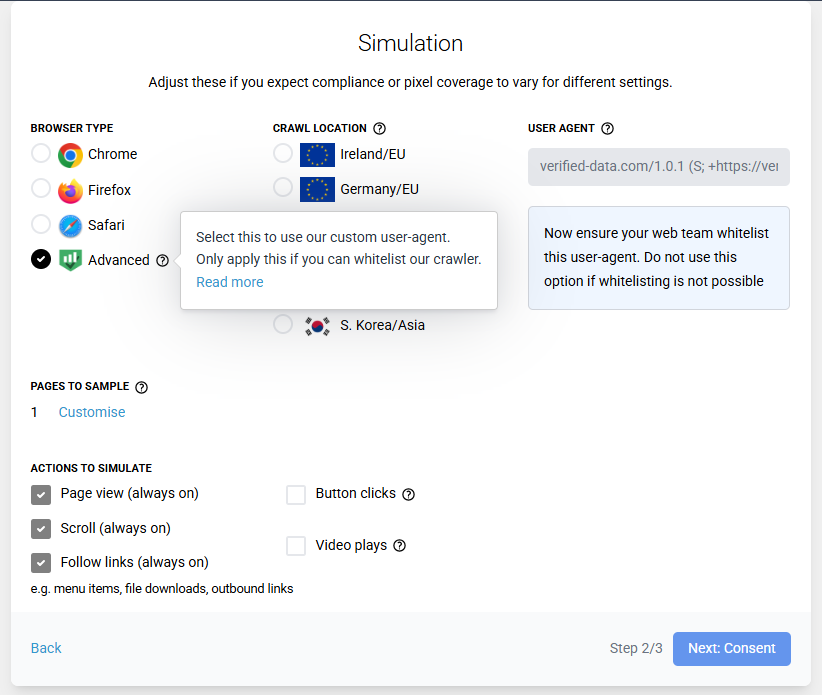
Setting the correct user-agent when creating a new project
2B. If The Project Already Exists
If an existing Verified CONSENT project was not originally setup with a whitelist, you can make this modification. Note, changing the browser settings is permanent for that project.
When a audit is being throttled or blocked by a sites, you will a message similar to below. Follow the same process of adding a firewall rule and then click the link in the audit message:
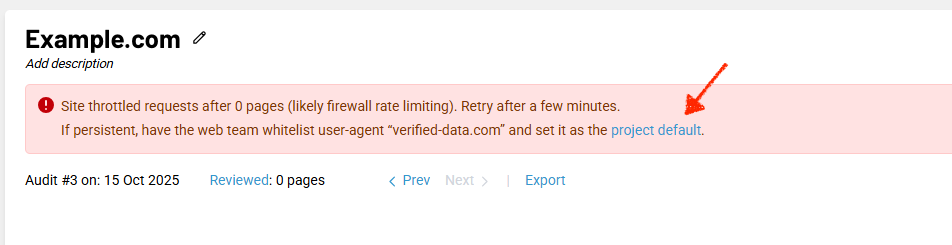
Setting the correct user-agent when creating of an existing project
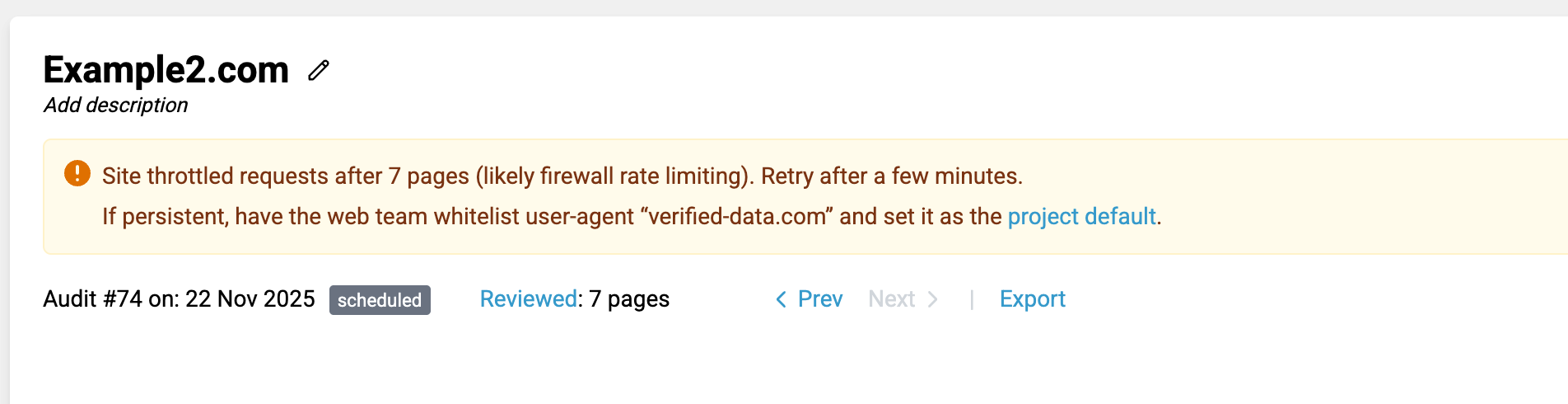
Setting the correct user-agent when creating of an existing project